
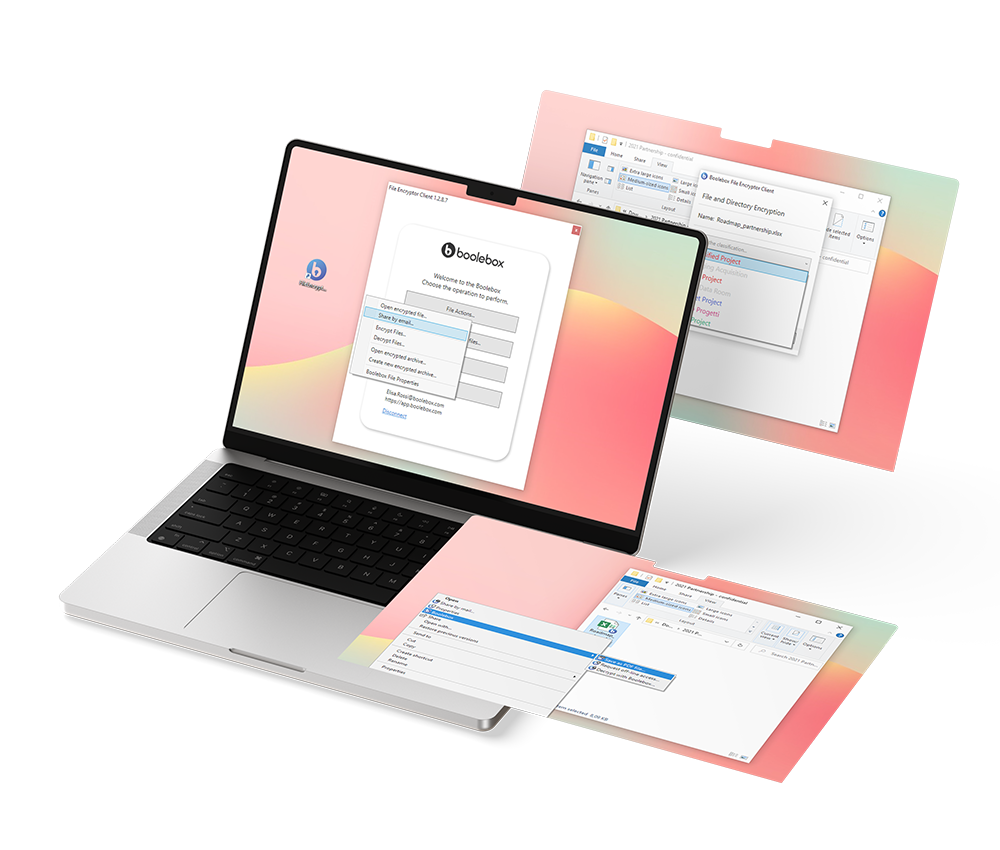
The 4 key features of our File Encryptor:
With File Encryptor, you can apply encryption rules for automatic protection of Windows files and folders—either manually or through automations configured via the Boolebox dashboard. The system allows you to define multiple levels of protection for Windows documents, assign personal keys, and set user-specific access criteria.

Local encryption
Thanks to our local encryption software, files are encrypted directly within the Windows file system—no need to upload them to the cloud or interrupt your workflow.

Advanced search
Our file protection for Windows business PCs allows you to quickly search protected content, even within files, thanks to keyword indexing.

Secure sharing
With our file encryptor, you can securely share files stored in Windows without compromising security. Ideal for protecting files in shared environments as well.

Classification and rules
Apply encryption rules for automatic protection of files and folders based on your company’s structure. This ensures that each user can only access the content they are authorized to view.
How you can use Windows File Encryptor:
- File protection on Windows PCs Shared across networks or multiple devices
- Automatic encryption Of folders on business PCs containing confidential data
- Application of encryption rules for automatic protection In thematic folders (e.g., financials, contracts, R&D)
- Offline operations Use in environments where file protection software for Windows must operate without an internet connection
File Encryptor is the file encryption software for Windows you can rely on if your company handles sensitive data locally.

USE CASES:
How File Encryptor for Windows works for you
File Encryptor for Windows is a protection software that allows you to encrypt files and folders on Windows—either manually or automatically. Simply select your preferred mode from the Boolebox dashboard in a quick and intuitive way.

Law firms and professionals
To securely protect contracts, legal documents, and confidential files—and monitor access
Read more >
Healthcare
To securely manage reports, diagnoses, and medical records with file protection software that integrates into healthcare IT workflows
Read more >
Banking and finance
To ensure local protection of business files, including multi-level controls and full traceability
Read more >Pair Secure File Manager with File Encryptor for Windows
Organize and manage encrypted email attachments in protected folders. Edit files even after sending, add comments and tasks, and—if needed—revoke access in real time to maintain full control.

CONTACT US NOW!
Want to experience firsthand the power and security of the right file protection software for your Windows business PCs?
Fill out the form and we’ll contact you to show you everything you can do with a next-generation cloud file manager.